28. Recipes#
Short walk-throughs for the things LazyTyper is used for most, each built with the panel and rendered by After Effects.
- A search bar
- A chat bubble
- Code
- A paragraph that wraps
- Delete and retype
- Bengali, Japanese and other scripts
- Mixed fonts, sizes and colours
- Speed keyed to a voice-over
- Nudge baked keystrokes
- Rigs without the panel
- The Legacy ExtendScript expression engine
A search bar#
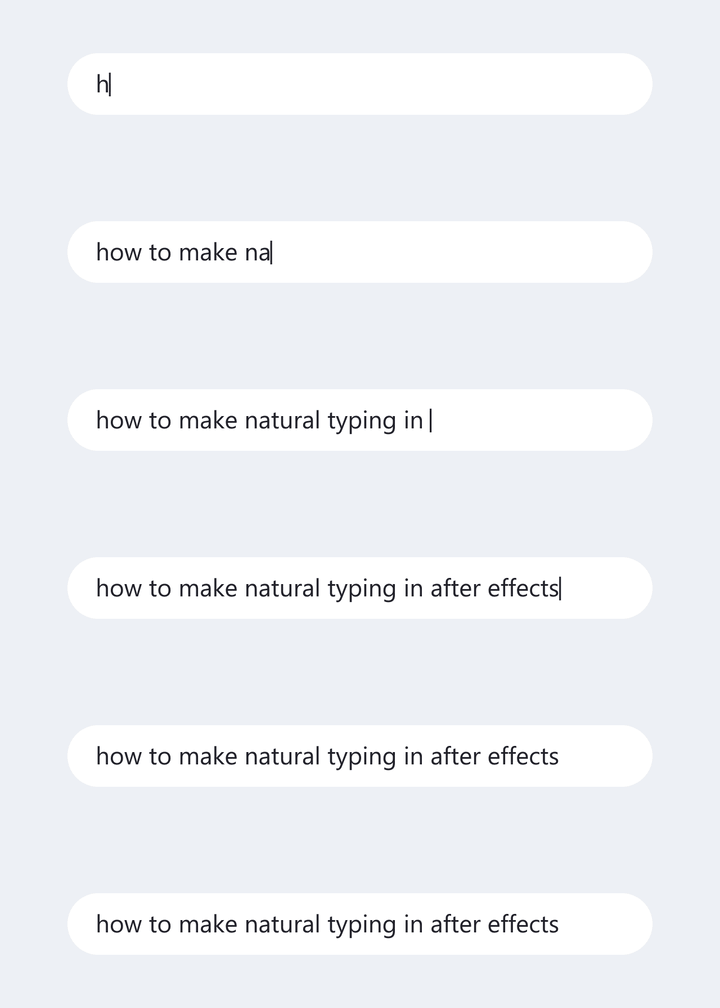
- Draw the bar: a rounded rectangle shape layer (here 1040 × 110 px, Roundness 55, white).
- Type the query as point text, left aligned, in a dark colour, where the bar's text starts.
- Select the text layer; in Create rig choose Dynamic, typing style Very Fast, cursor Vertical; click Create Typing Rig.
The cursor takes the text's dark colour by itself. Searches are typed quickly by people who know what they want, so Very Fast suits them; for someone thinking it over, add a Pause marker (chapter 7).
A chat bubble#
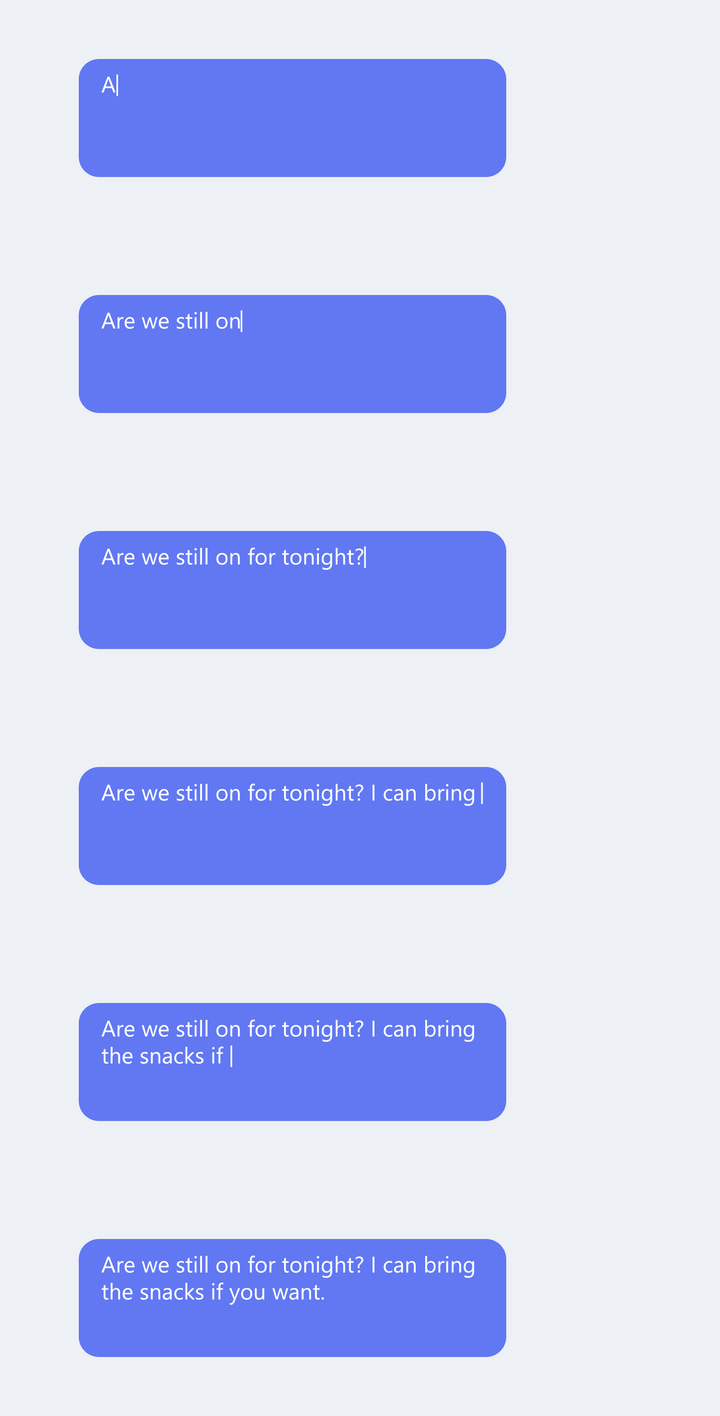
- Draw the bubble (a rounded rectangle) and make the message paragraph text: drag a box with the Type tool inside the bubble.
- Rig it Dynamic: words that don't fit move to the next line as they are typed, the way a chat app does.
Code#
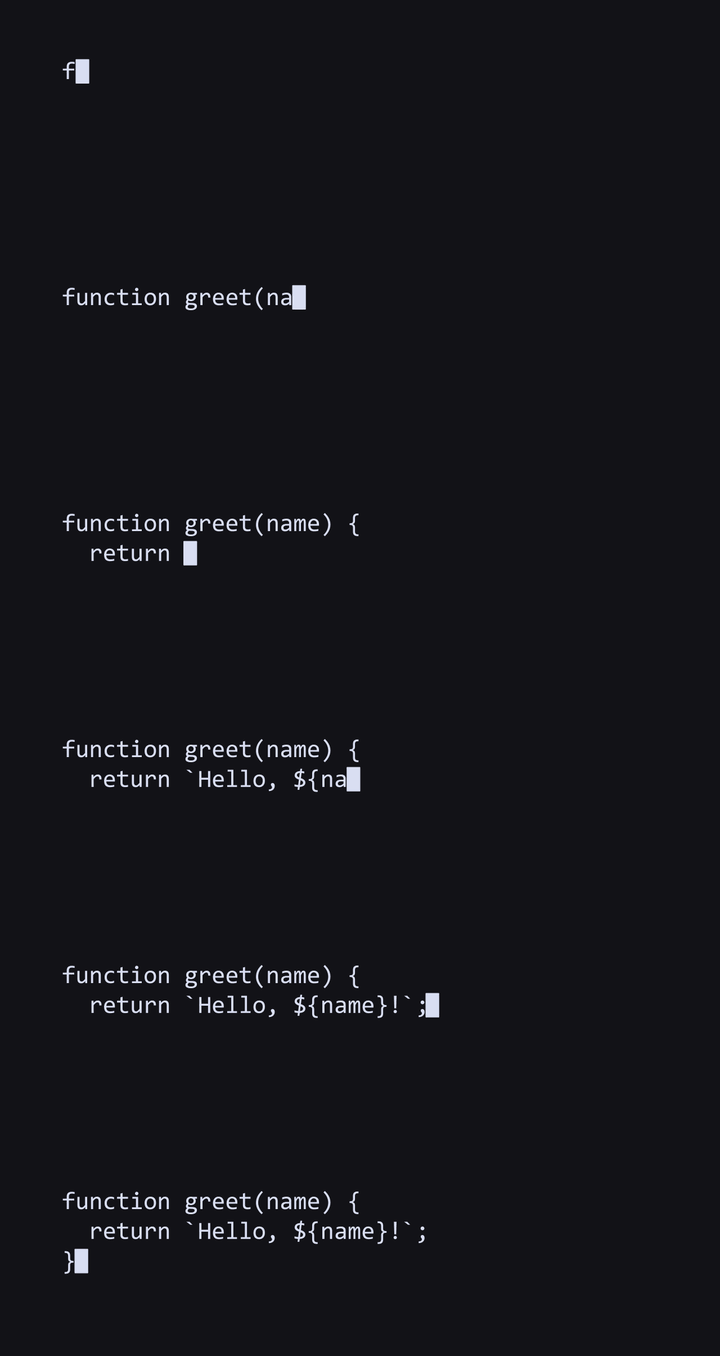
- Type the code in a monospaced font (Consolas here), with Returns for the line breaks and spaces for the indent.
- Rig it with the Box cursor.
- Code is full of symbols, brackets and commas: if it crawls, lower Slow: Symbols (chapter 16) and Slow: After Punctuation (chapter 17). Each new line waits for Slow: New Line, and blank lines between blocks for Slow/Fast: Empty Lines (below 0: quicker).
A paragraph that wraps#
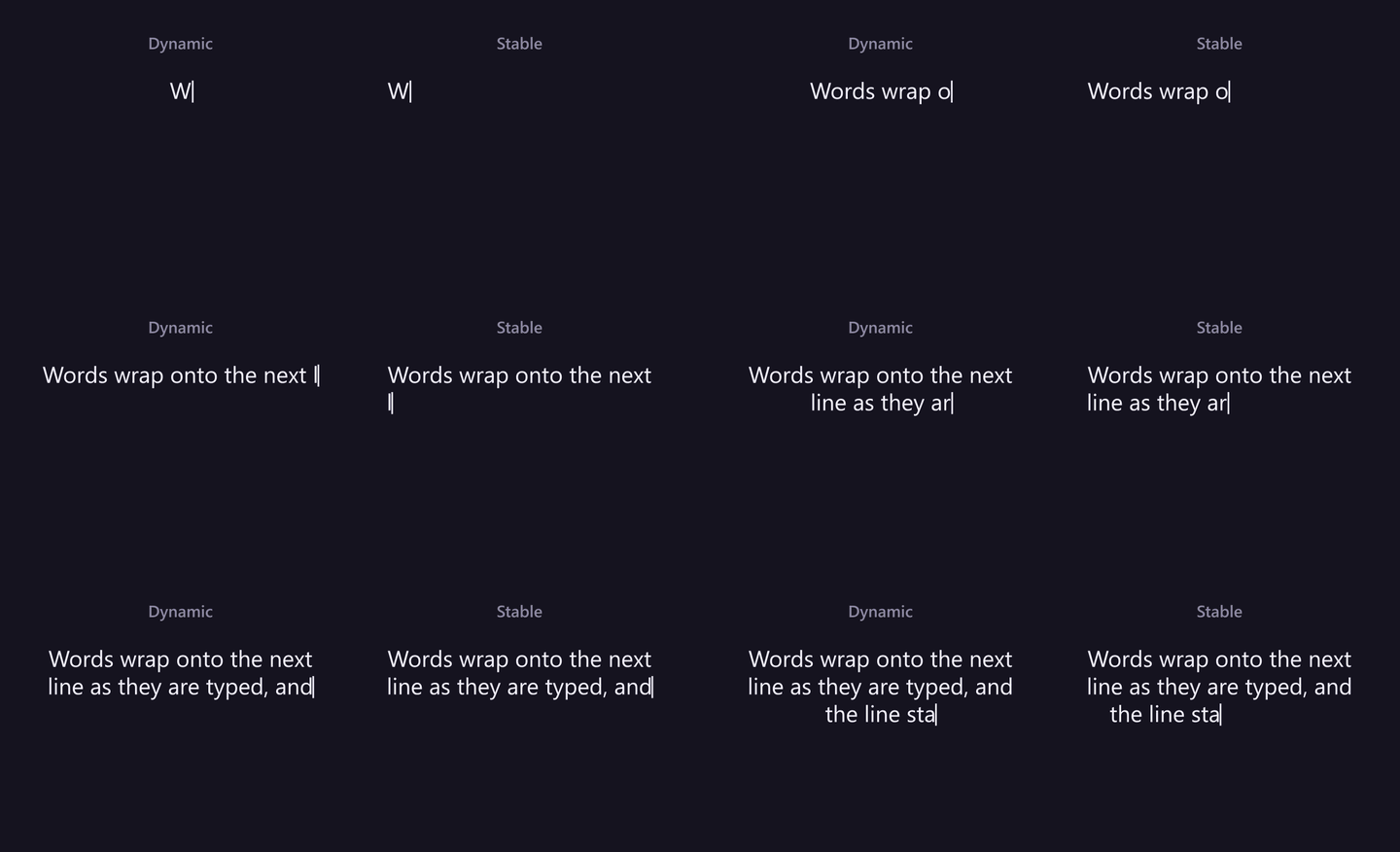
Use paragraph (box) text and a Dynamic rig: it wraps word by word and keeps centred or right-aligned lines centred as they grow. A Stable rig keeps the finished layout instead. Both are compared in chapter 3:
Delete and retype#
Stop typing, Erase, a new Source Text keyframe, Start typing: chapter 8 shows both ways, a whole line replaced and a typo fixed:

Bengali, Japanese and other scripts#
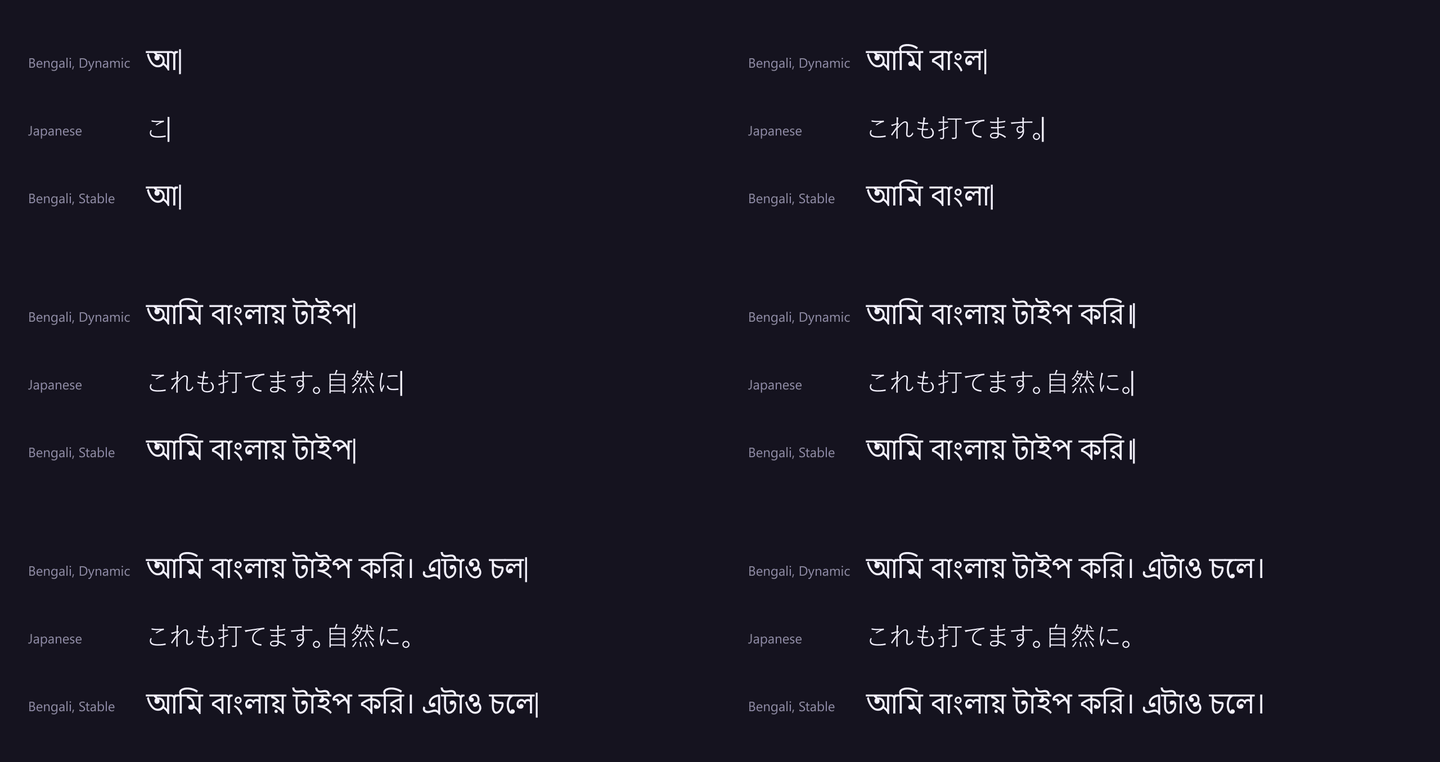
The engine types any script character by character. Letters of scripts without upper and lower case
count as letters (Slow: Capitals never applies), the Bengali । and the Japanese 。 end a
sentence, 、 is a comma, and the English-only controls (Common Pairs, Common Words, Same Hand, Rare
Letters) simply don't match. Choose a font that has the script (Nirmala UI for Bengali and Yu Gothic
for Japanese, here).
The cursor and Bengali. Bengali letters join: a consonant with its vowel sign (মি), a
conjunct (ক্ষ) or a reph (র্ম) is one shape, and After Effects counts it as one unit. LazyTyper
1.1.1 counted characters instead, so in a Dynamic rig the cursor stayed at the start of the line
and in a Stable rig it trailed the text by about a word. Since 1.1.2 LazyTyper counts units like
After Effects does: the cursor sits after the last letter in both rigs, as in the animation above,
and a Stable rig shows a joined letter whole as soon as its first character is typed. The same goes
for Devanagari and the other Indian scripts. A rig made with 1.1.1 or earlier on such text says
"Made by an earlier LazyTyper" in the panel: click Refresh once. Japanese, which does not join
its characters, was always right.
Mixed fonts, sizes and colours#

- Style parts of the text: select characters with the Type tool and change their font, size or colour in the Character panel.
- Rig it Stable: it keeps every character's style. (A Dynamic rig rebuilds the text as it types and keeps only the first style.)
- The cursor takes the size and colour of the last character typed: it grows beside the big word and turns gold beside the gold one. With the Vertical cursor only its height grows; Size From, Height Follows Size and Width Follows Size change that (chapter 25), Use Text Color the colour (chapter 23).
- After changing the text, or a word's font, size or colour, later, the top of the panel turns amber: click it to refresh (chapter 9).
Speed keyed to a voice-over#

Every control can be keyframed, so the speed can follow a voice:
-
Put layer markers on the text layer where the voice-over's phrases start (any comment that does not start with pause: those are ignored by the rig). Here VO: slow at first and VO: then faster.
-
Keyframe Frames Per Character: 6 at 0 s and at 2.4 s, 1.5 at 4 s. Typing slows and speeds up with it, character by character.

-
For a line that must end exactly with a phrase, use Total Duration (chapter 14); for a silence, a Pause marker (chapter 7) or Stop and Start typing (chapter 6).
Nudge baked keystrokes#
After Bake (chapter 10), every keystroke is a keyframe you can move.
-
Bake the rig and press U to show Characters Shown.
-
Select the keyframe of the keystroke to delay and every one after it (drag a box around them).
-
Drag them later. Here the keys from the space after "Hmm..." on move 12 frames, a longer hesitation:

The keyframes moved in After Effects step by step; the pointer shows where to drag.

The keyframes are holds, so moving them never makes in-between counts. Unbake throws these edits away.
The same typing in several comps#
Make one rig, set it up, then copy it wherever it is needed: select its text, cursor and guide, Edit › Copy, open the other comp, Edit › Paste. Each copy is a rig of its own: change its text and it types its own words, with its own cursor (chapter 22). Duplicate (Ctrl+D) does the same within one comp, for a list of lines that type one after another: duplicate, change the text, slide the copy later in the Timeline.
Rigs without the panel#
A rig is expression controls, a text animator and expressions, nothing else. Send the project, or render it on a farm: it types the same without LazyTyper installed. Changing the text of a Dynamic rig works there too; Refresh, Bake and the other buttons need the panel.
The Legacy ExtendScript expression engine#
LazyTyper's expressions work in both engines. The engine pill at the top of the panel shows which one the project uses:
The JavaScript engine (File › Project Settings › Expressions) is several times faster on long texts. In either engine, Bake (chapter 10) makes a rig play instantly.
 আমি