21. Characters Shown#
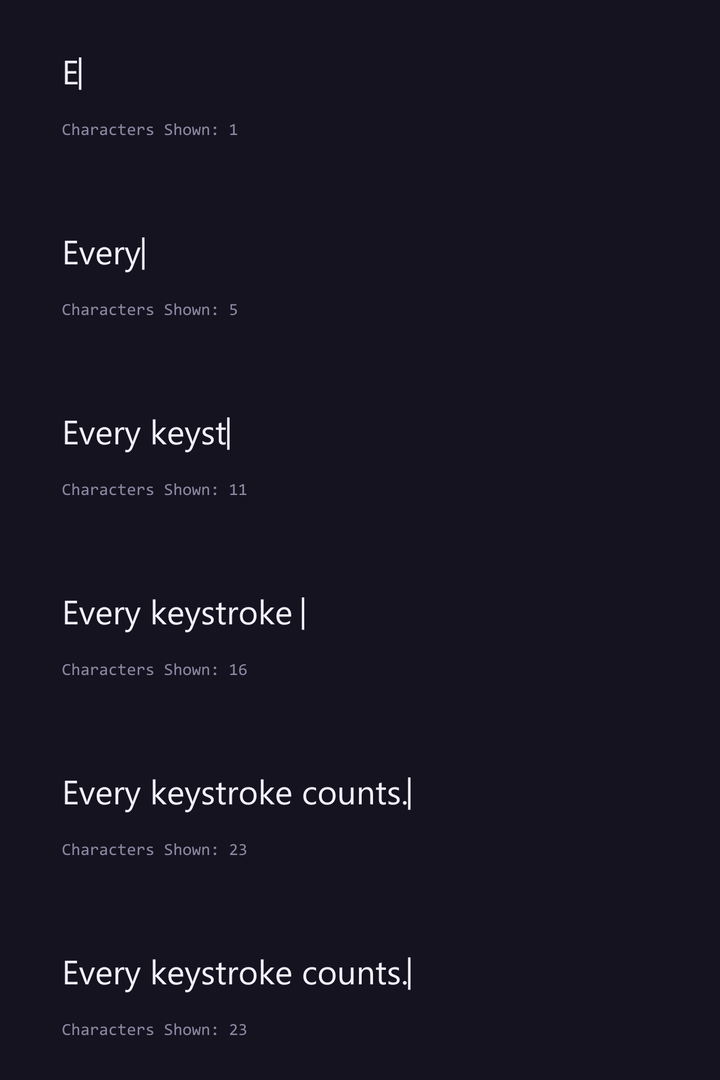
Characters Shown, the last control on a rigged text layer, is the rig's result: how many characters of the text show at this frame. Read it to drive anything else from the typing: a counter, a sound, a progress bar, a layer that waits for the last word.
Where to find it#
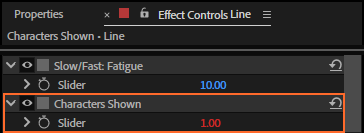
At the bottom of the text layer's Effect Controls:
What it holds#
| Rig | Characters Shown |
|---|---|
| Stable | runs the typing engine itself (its expression), and the rig's animator hides everything from that count on |
| Dynamic | reads back how long the typed text in Source Text is (the engine runs in Source Text) |
| Baked | hold keyframes, one per keystroke (chapter 10) |
Don't type a value into it or change its expression: the rig sets it. Change the typing with the other controls instead.
Reading it from another layer#
The counter above is a second text layer whose Source Text has this expression:
var n = Math.round(thisComp.layer("Line").effect("Characters Shown")(1).value);
"Characters Shown: " + n
Pick-whip Characters Shown from any property's expression to get the first line. Some ideas:
-
A progress bar: a shape's Scale X as
n / total * 100. -
Something that starts when the typing ends: compare
nwith the text's length,thisComp.layer("Line").text.sourceText.value.length, on a Stable rig (on a Dynamic rig Source Text already shows only the typed part). - A keystroke sound: bake the rig (chapter 10); the keyframes are the keystrokes, so you can place sounds on them.
Tips and pitfalls#
-
Round it: the value is a whole number in practice, but
Math.roundkeeps comparisons safe. - A rig's own cursor reads it too: that is how the cursor knows when keys are coming in (chapter 24).
- Bake makes reading it free: an expression reading a baked rig reads keyframes, not the engine.
 আমি