23. Show Cursor, Use Text Color, Cursor Color and Cursor Opacity#
Show Cursor switches the cursor on and off. Use Text Color gives it the text's colour; switch it off and Cursor Color is the cursor's fill. Cursor Opacity is how solid it is when it shows.
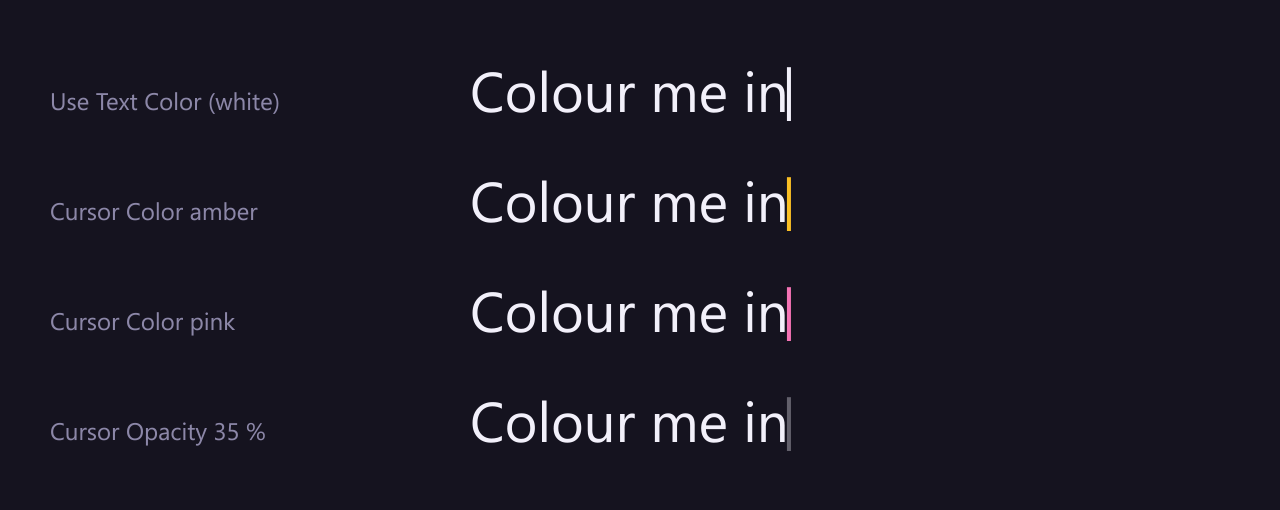
Where to find them#
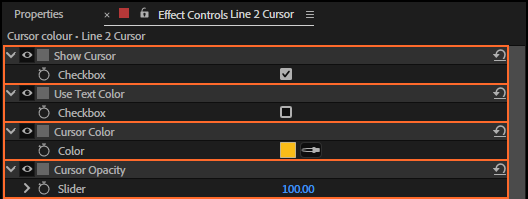
At the top of the cursor layer's Effect Controls:
Step by step#
- Select the cursor layer.
- For a colour of your own, switch Use Text Color off, then click the Cursor Color swatch (or use the eyedropper) and choose a colour.
- Set Cursor Opacity, in %.
Every setting#
| Control | Values | Default | What it does |
|---|---|---|---|
| Show Cursor | on, off | on | Off: no cursor, whatever its opacity and blink. Keyframe it to show the cursor only some of the time. |
| Use Text Color | on, off | on | On: the text's fill colour (white when the text has no fill). Off: Cursor Color. |
| Cursor Color | any colour | the text's first character's colour when the rig was made | The cursor's colour while Use Text Color is off. |
| Cursor Opacity | 0 to 100 % | 100 | How solid the cursor is when it shows. |
Which colour Use Text Color takes:
- Stable rig: the colour of the character the cursor takes its size from (Size From, chapter 25): by default the last character typed, so in a line with a red word the cursor turns red beside that word and back after it.
- Dynamic rig: the first character's colour (a Dynamic rig shows its text in one style).
The colours are read when the rig is made or refreshed. When you change the text's colours later, the top of the panel turns amber while Use Text Color is on: click it to refresh (chapter 9). With Use Text Color off, colour changes need no Refresh.
Blink (chapter 24) works on top of Cursor Opacity: a blinking cursor at 35 % goes between 35 % and nothing. Show Cursor off wins over both.
Tips and pitfalls#
- Changing Cursor Color does nothing: Use Text Color is on. Switch it off.
- Cursor presets leave the colour alone (chapter 12): Apply changes the shape and blink only, not Show Cursor, Use Text Color or Cursor Color.
- Keyframe the colour for a cursor that changes with the mood: switch Use Text Color off and key Cursor Color.
- A cursor that should show only at the end: keyframe Show Cursor off at the start and on where it should appear.
- Rigs made before LazyTyper 1.3 get Show Cursor (on) and Use Text Color (off) at their next Refresh, so they keep their Cursor Color.
 আমি