18. Slow: Word Start, Long Words, Rare Letters and Same Finger#
A typist hesitates at the start of each word, slows down through long ones, hunts for the keys they seldom use, and loses a moment when one finger has to type two keys in a row. These controls slow characters by their place in a word, by being rare, or by the finger that types them.
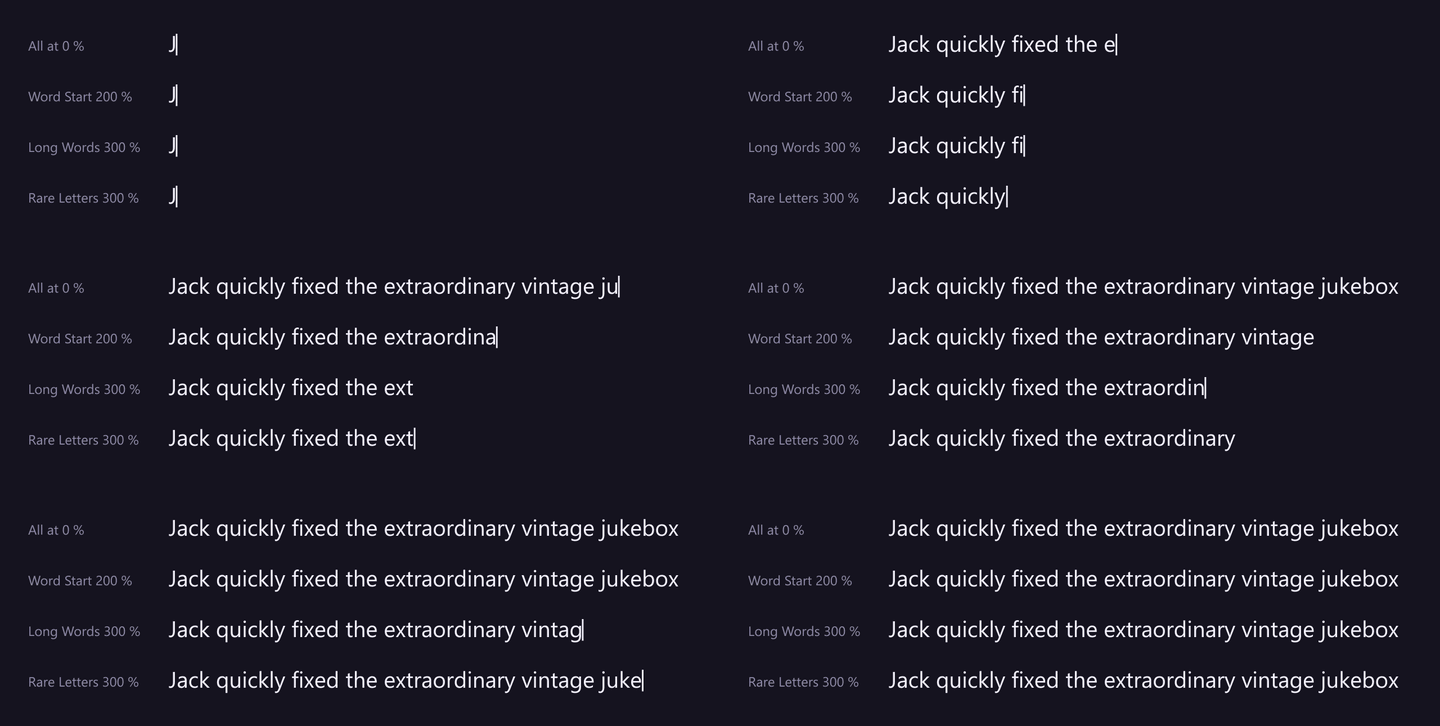
Rendered by After Effects: the top line has all three at 0; each line below raises one (Word Start 200 %, Long Words 300 %, Rare Letters 300 %), the others at their defaults.
Where to find them#
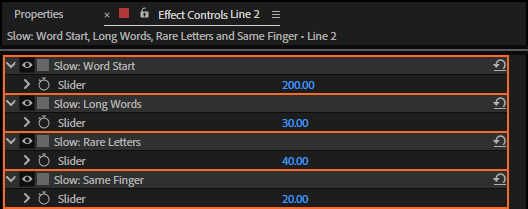
Slow: Same Finger comes right after Slow: Rare Letters.
Which characters#
A word here is a run of letters and digits; spaces and punctuation end it.
| Control | Slows | Default |
|---|---|---|
| Slow: Word Start | the first letter or digit of every word | 50 |
| Slow: Long Words | every letter of a word longer than 6 characters, more for longer words: a 7-character word gets 1/6 of the value, 9 characters half, 12 or more all of it | 30 |
| Slow: Rare Letters | q, z, x, j, k and v, in either case | 40 |
| Slow: Same Finger | a letter typed by the same finger as the letter before it, on a different key (the same key twice is Repeated Letters, chapter 19) | 0 (Average: 20) |
At v % a character takes 1 + v/100 times as long (for Long Words, v times the share above). The first character of a run appears at once and is never slowed.
Which finger#
Same Finger follows QWERTY touch typing, each finger on its own column of keys:
| Left little | Left ring | Left middle | Left index | Right index | Right middle | Right ring | Right little |
|---|---|---|---|---|---|---|---|
| q a z | w s x | e d c | r f v t g b | y h n u j m | i k | o l | p |
So "ed", "ce", "un", "my", "tr", "ol" and "ki" are typed by one finger, and so are "fr", "gr" and "br"; "th" and "in" are not. Capitals count as their small letter; digits, punctuation and letters outside a–z never count, and a space between two letters breaks the pair. Very fast typists feel this most: the Very Fast preset sets 40, Average 20, Hunt & Peck 0 (two fingers hunt for every key anyway). It adds to Slow/Fast: Same Hand (chapter 20), since the same finger is always the same hand.
A rig made with LazyTyper 1.2.0 or earlier gets Same Finger at 0 when you click Refresh, so its timing stays as it was.
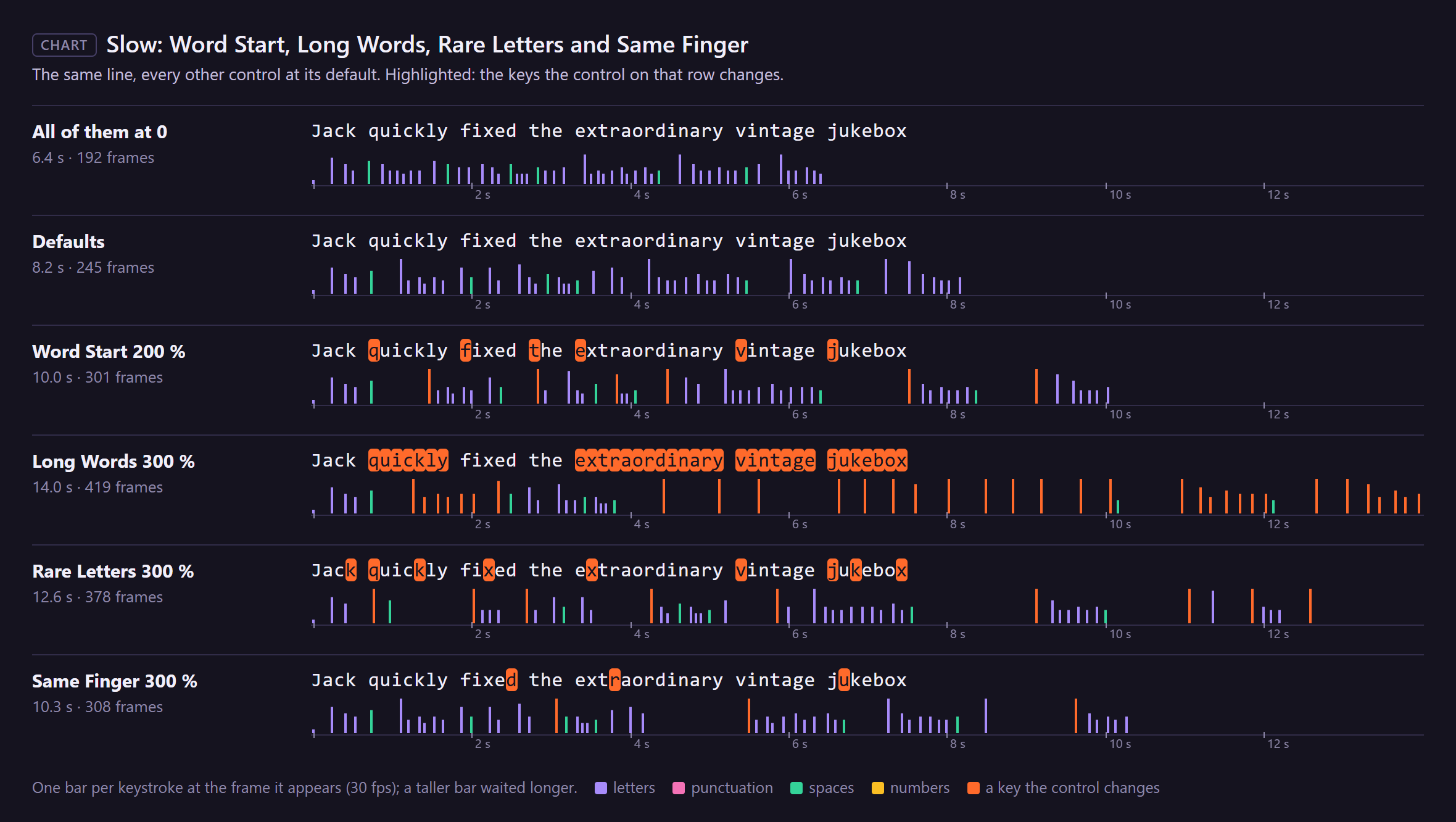
For "Jack quickly fixed the extraordinary vintage jukebox" (52 characters):
| The take | |
|---|---|
| all three at 0 | 192 frames |
| defaults (50, 30, 40) | 245 frames |
| Word Start 200 % | 301 frames |
| Long Words 300 % | 419 frames |
| Rare Letters 300 % | 378 frames |
| Same Finger 300 % ("ed" in fixed, "tr" in extraordinary, "ju" in jukebox) | 308 frames |
Step by step#
- Select the rigged text layer.
- Set the control in Effect Controls.
- Play.
Tips and pitfalls#
- Word Start and Common Words work against each other on short common words ("the", "and"): the first letter is slowed, the whole word sped up (chapter 19).
- Technical text (long words, x, z, k) gets slow fast: lower Long Words and Rare Letters for product names and code.
- Rare Letters is about English keyboards; letters with accents are not counted as rare.
- Same Finger assumes QWERTY and the touch-typing fingers above; on other layouts or scripts it does nothing useful.
 আমি