16. Slow: Capitals, Numbers, Symbols and Punctuation#
Some keys are harder to hit than letters: capitals need Shift, numbers and symbols sit at the top of the keyboard, punctuation breaks the flow. These four controls make those characters take longer, each by what the character is.
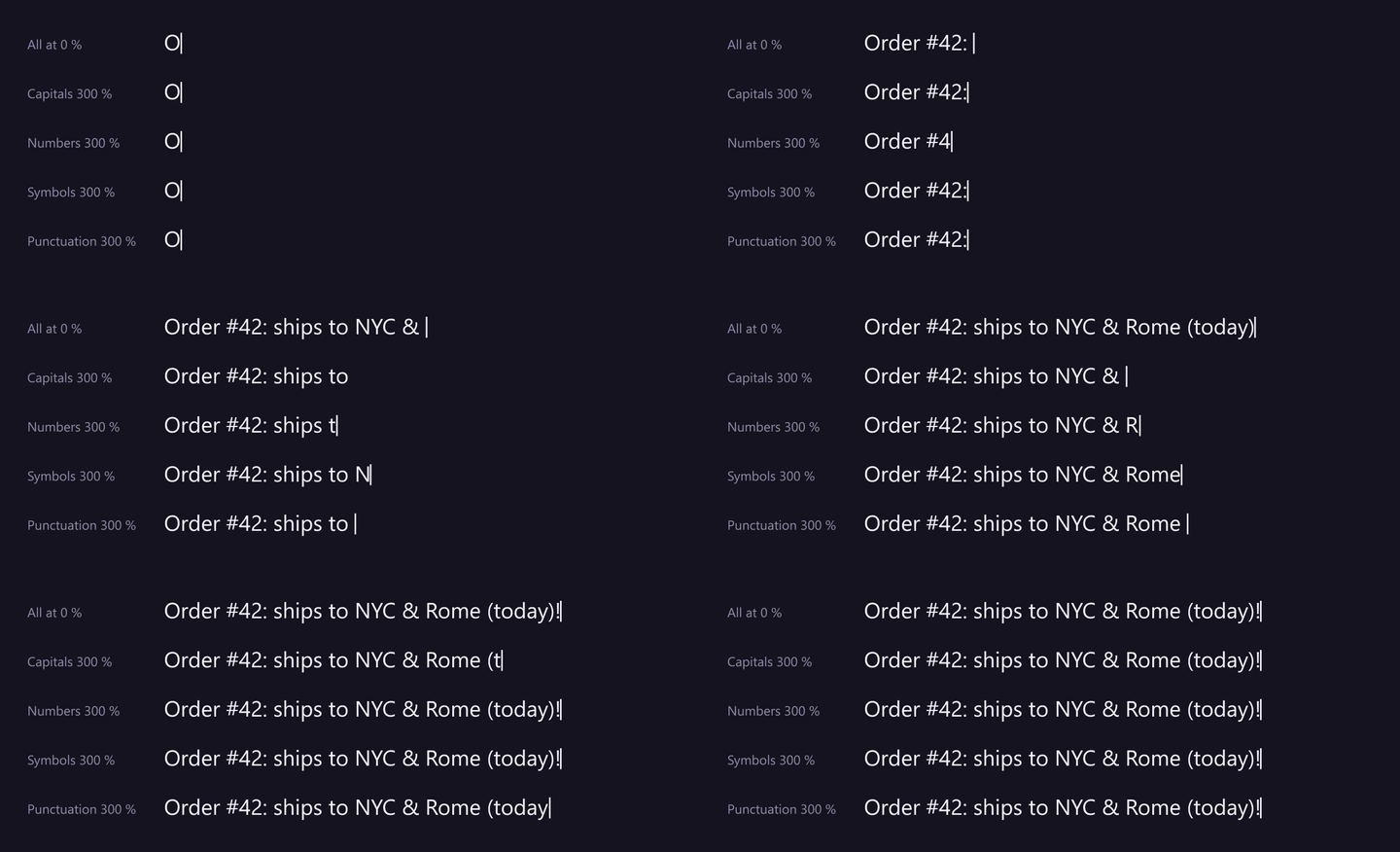
Rendered by After Effects: the top line has all four at 0; each line below raises one of them to 300 % (the other three at their defaults).
Where to find them#
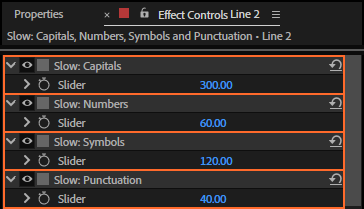
How much slower#
Every Slow: control works the same way: at v % the character takes 1 + v/100 times as long as it otherwise would. 100 % is twice as long, 300 % four times, 0 % changes nothing. Values below 0 act as 0 (to make keys faster, use the Fast: controls, chapter 19). A character that two controls slow is slowed by both, one after the other.
Which characters#
| Control | Slows | Default |
|---|---|---|
| Slow: Capitals | upper-case letters, in any script that has upper and lower case (Latin, Greek, Cyrillic…) | 60 |
| Slow: Numbers | the digits 0 to 9 | 60 |
| Slow: Symbols |
@ # $ % ^ & * _ + = < > { } | \ / ~ and the backtick |
120 |
| Slow: Punctuation |
. , ; : ! ? ' " - ( ) [ ], … — – ‘ ’ “ ” ¿ ¡, the Bengali and Hindi । ॥, the Arabic ، ؟ and the Japanese and Chinese 、 。
|
40 |
The first character of a run appears at once and is never slowed, so the "O" of "Order" below is not.
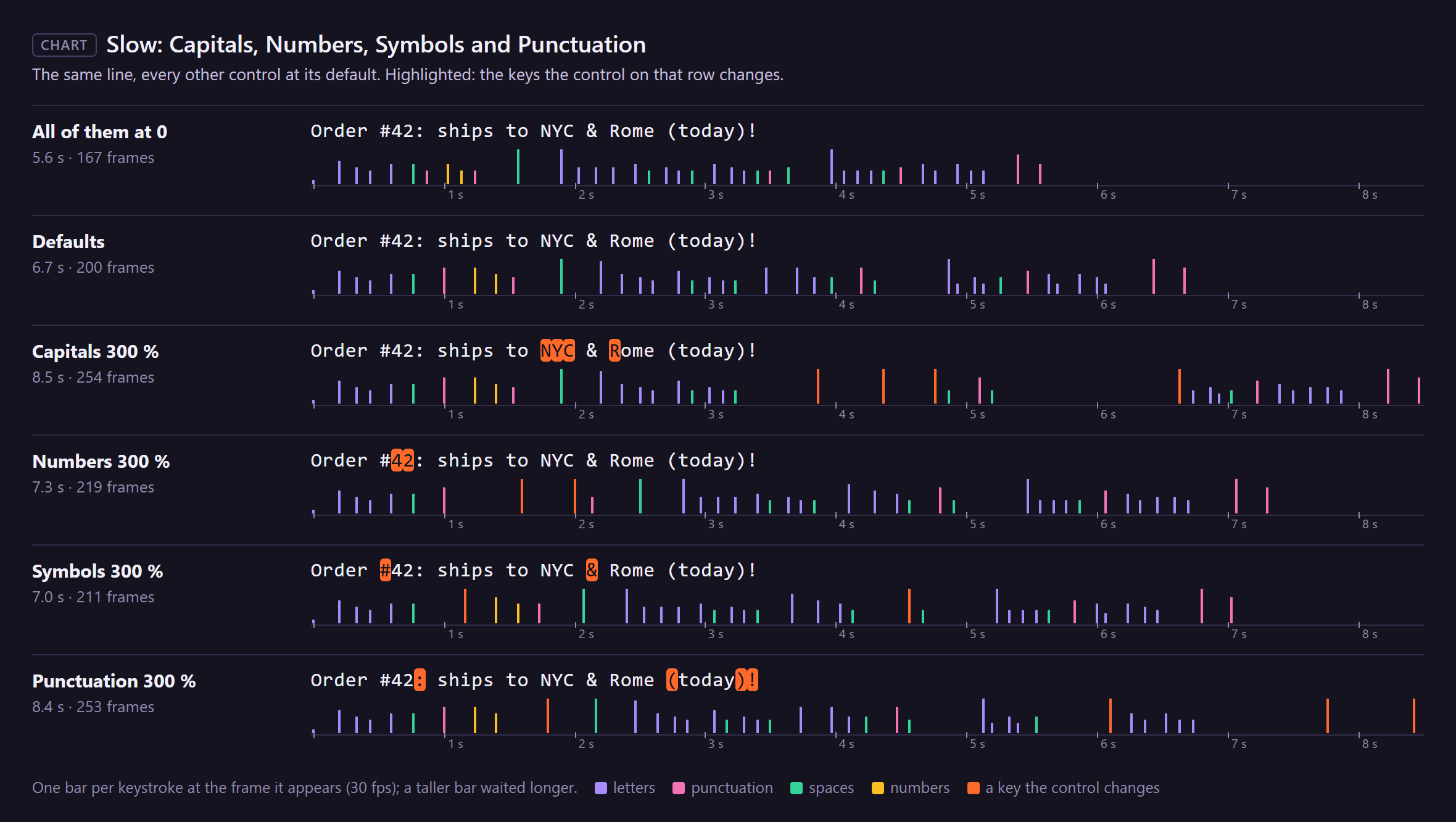
For "Order #42: ships to NYC & Rome (today)!" (39 characters, 30 fps):
| The take | |
|---|---|
| all four at 0 | 167 frames |
| defaults (60, 60, 120, 40) | 200 frames |
| Capitals 300 % | 254 frames |
| Numbers 300 % | 219 frames |
| Symbols 300 % | 211 frames |
| Punctuation 300 % | 253 frames |
Step by step#
- Select the rigged text layer; its controls are in Effect Controls.
- Set the control: drag the value or click it and type.
- Play. To compare, the panel's rhythm strip (chapter 5) shows a preset's rhythm before you apply it.
Tips and pitfalls#
- Text in capitals ("NYC", a shouted line) gets slow everywhere: raise Fast: Capitals in a Row (chapter 19) so only the first capital of each run waits, or lower Slow: Capitals for an all-caps title. Fast: Numbers in a Row does the same for "2026".
- Code and handles are full of symbols: lower Slow: Symbols, or they crawl.
- Punctuation and the pause after it are separate: this control slows the comma itself; the breath after it is Slow: After Punctuation (chapter 17).
- Scripts without capitals (Bengali, Japanese…) are never slowed by Slow: Capitals.
Related#
- 17. Slow: After Punctuation, Sentence End, Last Character and line breaks
- 18. Slow: Word Start, Long Words, Rare Letters and Same Finger
- 19. Fast: Repeated Letters, Capitals and Numbers in a Row, Common Pairs, Common Words and Word Momentum: Capitals in a Row and Numbers in a Row
- 5. Typing presets: what each preset sets them to.
 আমি