35. Live numbers from a watched file#
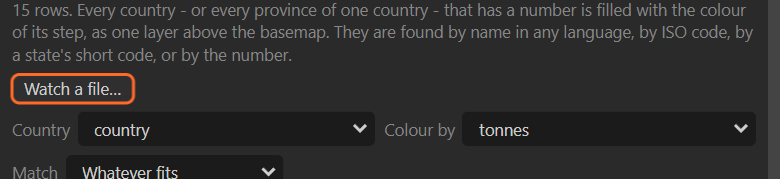
Watch a file… reads a table from a file on disk and keeps reading it. Edit and save that file anywhere (in a spreadsheet, from a script, as an export from another program) and the map is coloured again, with no import.
Watch#
- Open the Numbers sheet (with any table, or the one you want to watch).
- Watch a file… and pick the CSV.
- The sheet says Watching file name and counts how many times it has read it again.
From then on, every time the file is saved:
- the table is read again;
- the columns you picked are kept, as long as the headings still fit;
- the map is coloured again, and the extras (bubbles, spikes, values …) follow.
If a save makes the file unreadable (half-written, a heading gone), the sheet says so in orange and keeps the last good numbers.
Stop watching leaves everything on the map as it is.
Uses#
- Election night: a script writes the latest results to the CSV every few minutes; render the map whenever you need a new graphic.
- A template for a show: keep the CSV in a shared folder; the producer edits it, the map follows.
- Fine-tuning the data: keep the CSV open in a spreadsheet next to After Effects and watch the map change as you correct it.
