32. Flows between places#
A table with a place at each end of a row and an amount (origin, destination, passengers; exporter, importer, tonnes) becomes a flow map: one great-circle arc per row, its width the amount, all drawing on together.
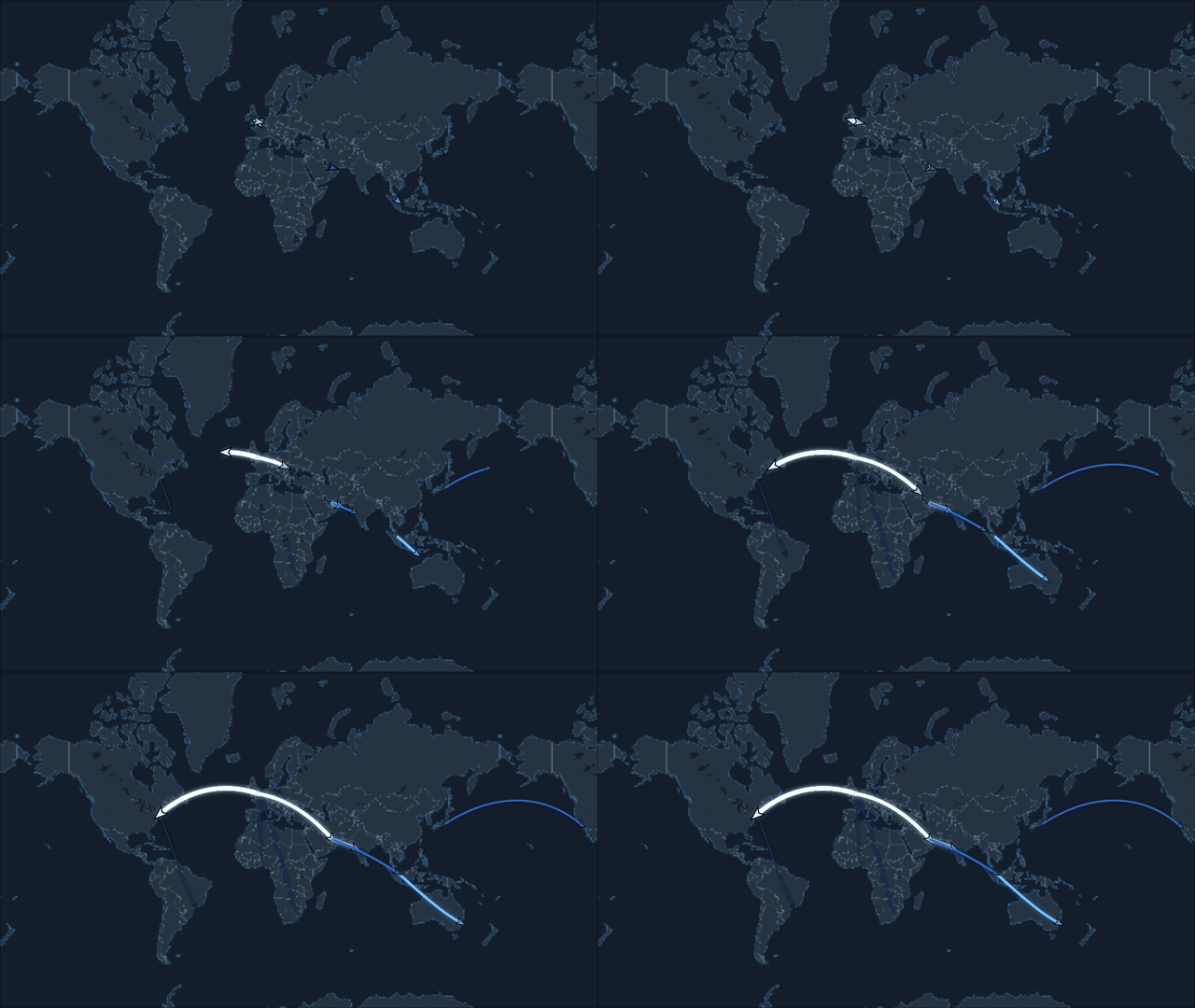
Your table#
from,to,passengers
London,New York,4000
London,Dubai,3200
Dubai,Mumbai,3000
The ends can be cities, countries or any place the search knows, in any of 26 languages.
Draw the flows#
-
Open the table with Numbers (chapter 28). When it has two columns of places, the sheet shows a Flows section:
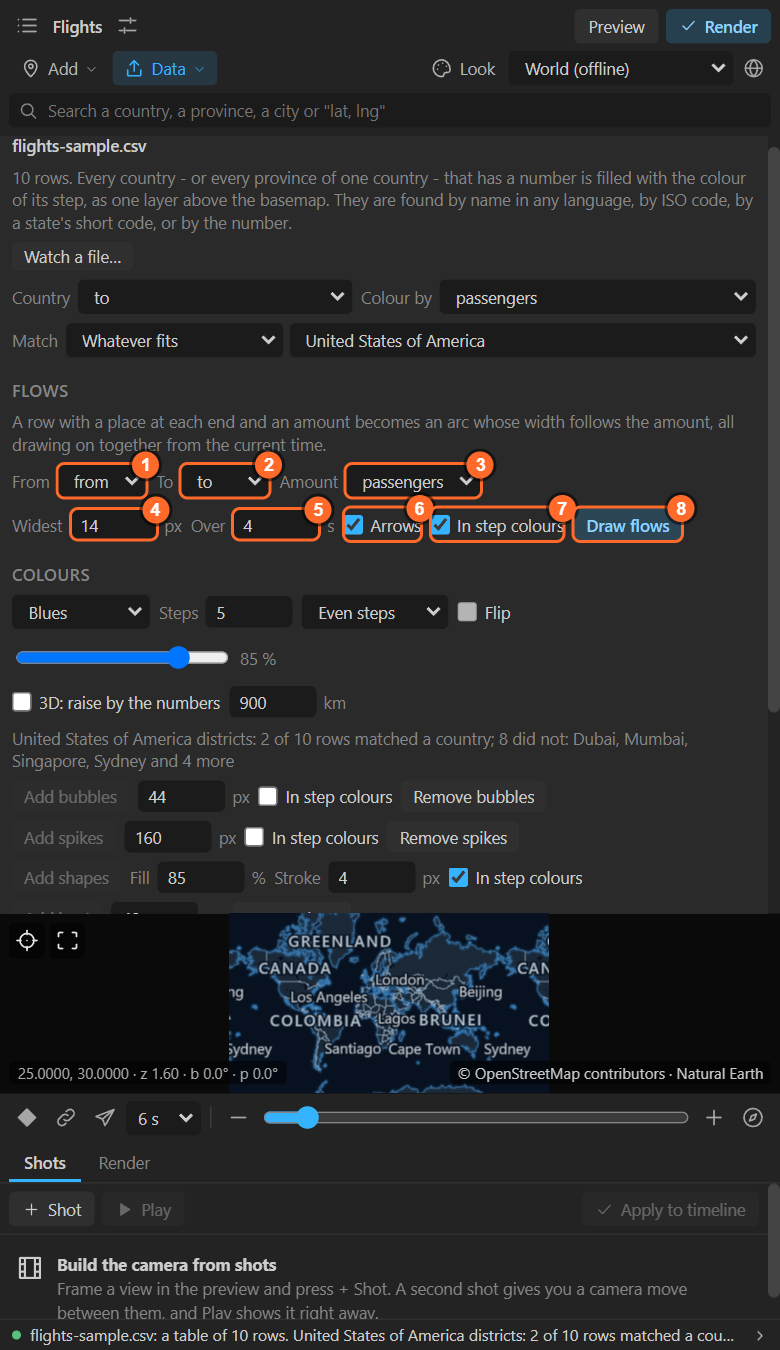
| # | Control | What it does |
|---|---|---|
| 1 | From | The column that says where a flow starts |
| 2 | To | The column that says where it ends |
| 3 | Amount | The amount, which sets the width of the arc |
| 4 | Widest | The widest arc, in pixels at 1080 lines |
| 5 | Over | How long the arcs take to draw on |
| 6 | Arrows | An arrow rides every arc |
| 7 | In step colours | Each arc in the colour of its step of the ramp, instead of the one layer colour |
| 8 | Draw flows | Draws every row as an arc, all from the current time |
- Put the time indicator where they should start and press Draw flows.
Rows without a place at both ends, or with no amount above zero, are left out, and the log says so.
What it makes#
Every arc is a route layer (chapter 12): a great-circle line that follows the map, with Trim Paths keyed to draw it on, and with Arrows a Traveller riding it. So everything you can do to a route works on a flow: retime it, recolour it, stagger the arcs by hand.
Tips#
- Too many arcs: filter the table to the largest rows first; a flow map reads best with 10 to 30.
- Arcs over the globe: switch Globe on for long-distance flows; the arcs then curve over the planet (chapter 5).
- A legend for widths: write the scale in your own text layer; the legend shows the colour steps.
Related#
- 12. Routes
- 15. The feature browser: Connect, for lines without amounts.
