3. How the panel thinks#
Five minutes with this chapter save hours later. It explains what the panel actually builds in After Effects, so nothing it does is a surprise.
A map is a comp with a camera#
When you make a map, the panel builds two things:
- A map comp, in a project folder called LazyMapLayers. The basemap (land, water, roads, borders, the globe) is rendered into it as an image sequence.
- A layer of that comp in your scene. This map layer carries the camera as effects:
| Effect on the map layer | What it is |
|---|---|
| Latitude, Longitude | The point at the centre of the frame |
| Zoom | 0 is the whole world in 512 pixels; every step closer doubles the scale. A country is about 5, a city 11, a street 16 |
| Bearing | The turn, in degrees. 0 is north up |
| Pitch | The tilt, in degrees. 0 looks straight down; up to 85 |
| Globe | On: a planet at low zoom that turns into the flat map by zoom 8 |
Some maps get more sliders when you use the features that need them: Borders Draw-on (chapter 21), Terrain Height and Ground Level (chapter 25), Data Time (chapter 33).
Animating the map means keyframing these five numbers. You can do it by hand in the timeline, or let the panel do it (chapters 8 and 9). The preview's readout shows the same five numbers:

One camera, everything follows it#
Everything else the panel makes (pins, routes, callouts, names, outlines, bubbles, spikes, your own attached artwork) is an ordinary After Effects layer in the scene, above the map layer. Each one reads the camera from the map layer through expressions and puts itself where its place is on that frame. So when the camera moves, they all move with it, to the sub-pixel:

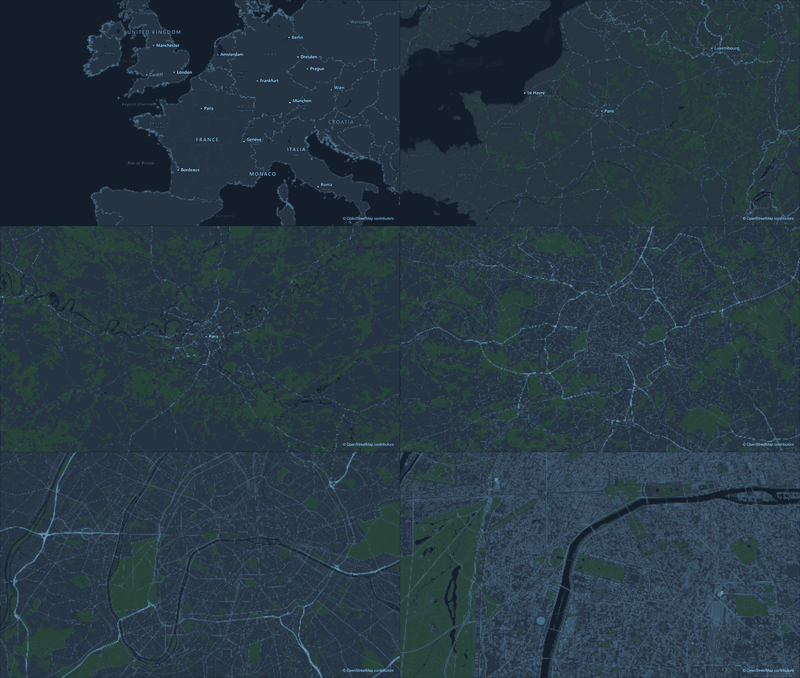
This has three results you will use every day:
- Move or scale the map layer, and the layers follow. They read the map layer's own transform. Put the map in a box, a split screen or a phone mock-up and everything stays aligned.
- You can restyle anything. A pin is a shape layer, a name is a text layer, a route is a shape layer with Trim Paths. Change fonts, colours, add effects, parent your own layers to them.
- Only the basemap needs rendering. Layers above it are live After Effects layers. The basemap is the only part drawn by the panel, and only after Preview or Render.
The preview is the camera#
The panel's preview is not a separate map that "looks like" your comp. It shows the exact frame the map will render, with the camera of the map layer. Move the preview and you are choosing a camera; the strip and the Shots tab turn that camera into keyframes.
Match AE (the target at the top left of the preview) shows the camera of the current time in After Effects. Use it after scrubbing the timeline, to see where the camera is.
The basemap is rendered, frame by frame#
The land, water, roads and borders are drawn by the panel for every frame at its exact camera, then imported into the map comp as an image sequence. That is why there are no tile steps, blurry zooms or popping names. Two buttons do it:
- Preview: half the size, no supersampling. Fast; use it to check timing.
- Render: full size with the Render tab's settings. Once a final render exists, the preview becomes its After Effects proxy.
Only frames that changed since the last render are drawn again. Change a keyframe and only the frames it moved are redrawn. See chapter 36.
Labels on everything: the LML: tag#
Every comp and layer the panel makes carries a line starting with LML: in its comment (the
Comment column in the timeline). The panel finds its own work by that tag:
- It never changes, deletes or reorders a layer without a tag. Your own layers are safe.
- Running a tool again (placing names again, applying the shot list again) replaces only its own tagged layers.
- Renaming is safe. Layers are linked to their map through a Map effect (a Layer Control), not by name. Rename the map comp, the scene, a pin: nothing breaks.
Do not delete the LML: line from a comment, or the panel will treat that layer as yours and leave it
alone from then on.
Every action is one undo#
Every button in the panel is one step in After Effects' undo history, named LazyMapLayers: …. Ctrl+Z (Cmd+Z) takes back a whole route, a whole set of names, a whole applied shot list.
Where the scene comes from#
New map puts the map into the comp you have open, at its size, frame rate and length, if you tick Put it into the open comp. Otherwise it makes a new scene comp called Map Scene. The map comp itself always goes into the LazyMapLayers folder of the project.
Data on your disk, online only when you ask#
The world down to city level is on your computer (chapter 1). The panel goes online only for what you ask for: street-level detail for an area, finer elevation, a satellite picture, an OpenStreetMap search, and a once-a-day look at the release list, which you can switch off. It never sends anything about you or your project.
 আমি