The LazyMapLayers logo#
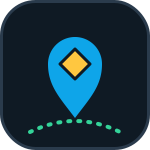
A map pin holding an After Effects keyframe, over the motion path the map travels: a map that animates, in one mark (DECISIONS D99).
Files#
| File | Use |
|---|---|
lazymaplayers-icon.svg |
The icon, the master: tile, motion path, pin and keyframe. 48 px and up |
lazymaplayers-icon-small.svg |
The icon at 32 px and below: no motion path, the pin drawn larger |
lazymaplayers-mark.svg |
The mark without its tile, for any background |
lazymaplayers-lockup-dark.svg |
Icon and name, for dark backgrounds |
lazymaplayers-lockup-light.svg |
Icon and name, for light backgrounds |
lazymaplayers-icon-{512,256,128,64,32,16}.png |
The icon as pictures; 32 and 16 come from the small master |
The panel's own icon (panel/icons/icon.png, 23 px, and icon@2x.png, 46 px) is rendered from the
small master. After changing a master, render every size again:
node tools/brand/render-icons.mjs
Colours#
| Part | Colour |
|---|---|
| Tile |
#0f1a24, edge #2a3b4c
|
| Pin | #0ea5e9 |
| Keyframe |
#ffc740, outline #0f1a24
|
| Motion path |
#34d399 (#10b981 on light backgrounds) |
| Name | "LazyMap" white (navy #0f1a24 on light), "Layers" #34d399 (#0b8a62 on light), Inter ExtraBold |
Keep it whole#
- Give the mark room: a clear margin of at least a quarter of its width on every side.
- Do not recolour, rotate, stretch, outline or add shadows to it, and do not redraw the pin or the keyframe; scale the whole mark.
- Below 32 px use the small master; never shrink the full icon that far (its dotted path turns to noise).
 আমি