13. Typing and Start at Character#
The first two controls on a rigged text layer say when typing runs and from where.
Where to find them#
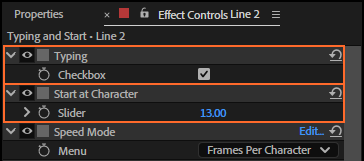
At the top of the text layer's Effect Controls:
Typing#
A checkbox. Typing runs while it is on and waits while it is off. Keyframe it to stop and start (the panel's Stop typing and Start typing do exactly that, chapter 6):

- Each time Typing goes on, the next character appears at once, on that frame; the following ones take their normal time.
- Typing never runs before the layer's in point.
- A Pause marker switches typing off for its length too (chapter 7).
Start at Character#
How many characters are already showing when typing begins. The rig shows Start at Character + the characters typed so far, rounded, and never fewer than 0 or more than the text has.
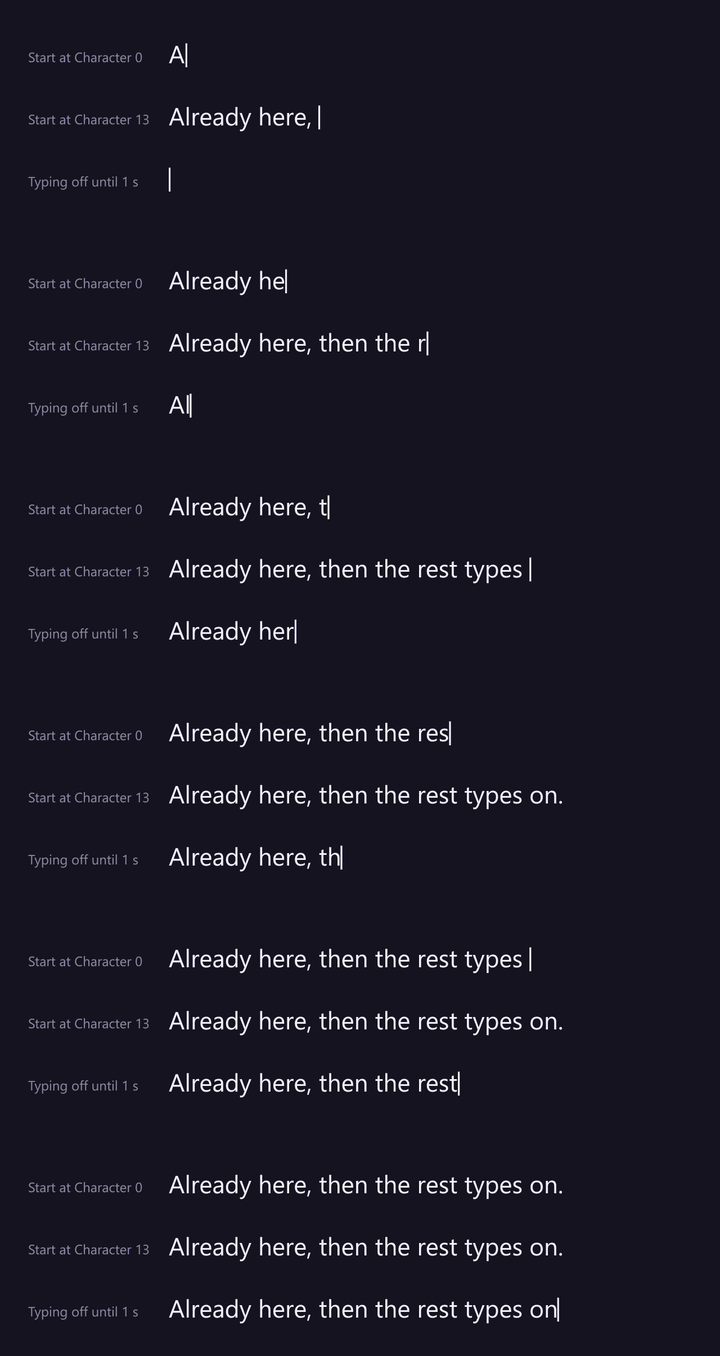
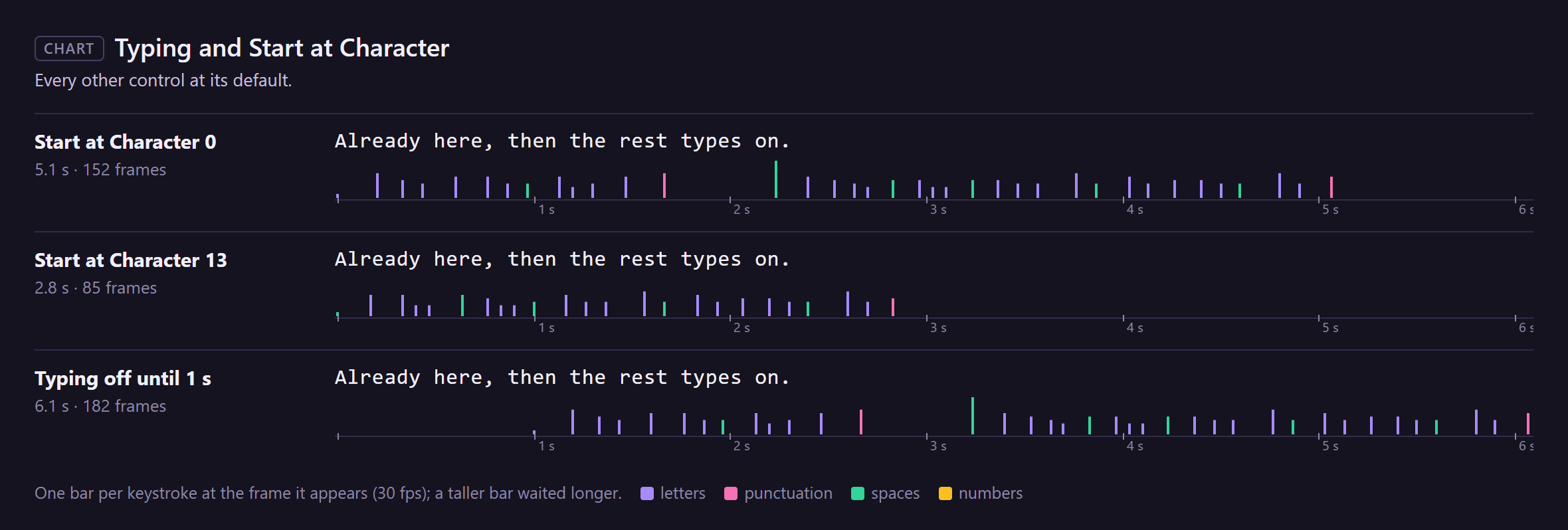
- Raise it to start with part of the text already there: at 13, "Already here," shows from the first frame and the rest types on (above). The take is shorter: 85 frames instead of 152.
- Lower it while Typing is off to delete characters from the end. Erase keys exactly that (chapter 8). It can go below 0: it then counts back characters that were typed.
- Raise it while typing and the text jumps ahead by that many characters.
Every setting#
| Control | Values | Default |
|---|---|---|
| Typing | on or off | on |
| Start at Character | any whole number (fractions are rounded) | 0 |
Tips and pitfalls#
- Typing off from the start and nothing shows: that's expected while Start at Character is 0. Set Start at Character to the text's length to show it all, or switch Typing on.
- Delete and retype: Erase (chapter 8) keys both controls for you.
- After baking neither control changes anything until you unbake (chapter 10).
