1. Installing, and opening the panel#
LazyTyper is a panel for After Effects 2021 or newer, on Windows 10 or 11 and macOS. It is free and signed: no extension manager, no Adobe setting to change.
Install#
- Download
LazyTyper-v1.3.zipfrom the releases page and unzip it anywhere (the Desktop is fine). - Close After Effects. A running After Effects holds on to an older panel's files.
- Run the installer from the unzipped folder:
- Windows: double-click Install LazyTyper.bat.
- macOS: double-click Install LazyTyper (macOS).command (if macOS refuses, right-click it and choose Open).
- The window first reminds you to close After Effects: press a key. Wait for Installed, then press a key to close the window.
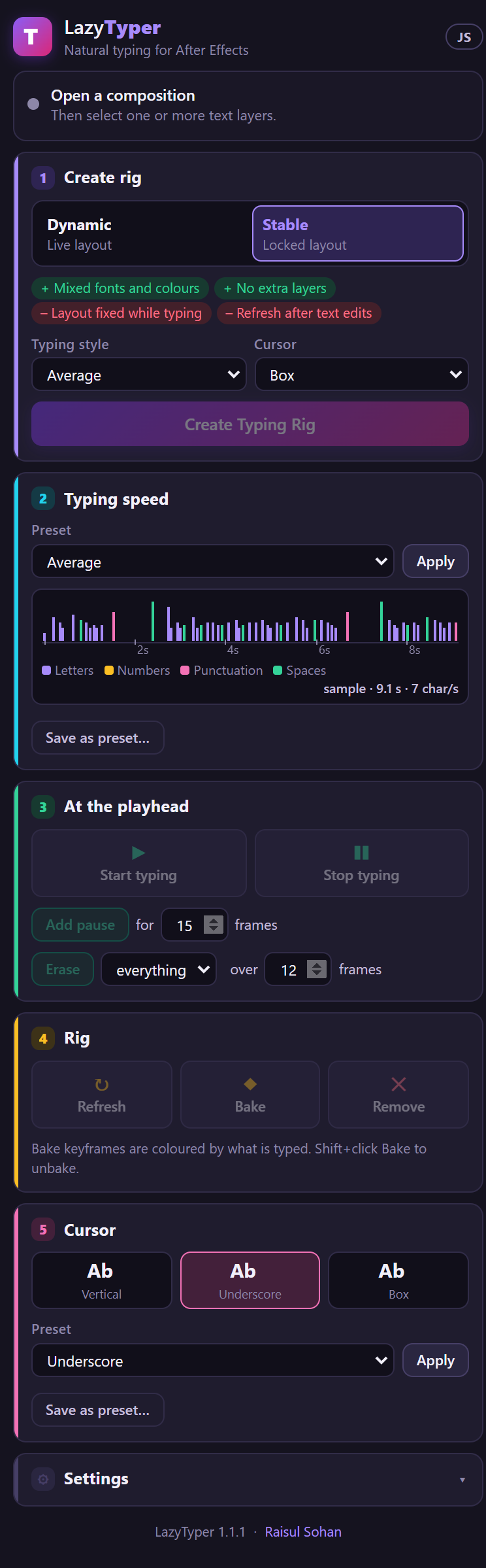
- Start After Effects and choose Window › Extensions › LazyTyper. The panel opens as in the picture above. Dock it wherever you like; it remembers its place.
The installer copies the panel to:
| Folder | |
|---|---|
| Windows | %APPDATA%\Adobe\CEP\extensions\com.sohan.LazyTyper |
| macOS | ~/Library/Application Support/Adobe/CEP/extensions/com.sohan.LazyTyper |
Updating#
Run the new version's installer the same way. Your saved presets and settings stay: they live in a
folder of their own, %APPDATA%\LazyTyper on Windows and ~/Library/Application Support/LazyTyper
on macOS (presets.json and settings.json).
Uninstalling#
Close After Effects and run Uninstall LazyTyper.bat (Windows) or Uninstall LazyTyper (macOS).command. After removing the panel it asks Delete your presets and settings as well?: answer N (the default on macOS) to keep them for a later install, Y to delete that folder too. Rigs in your projects keep working without the panel (chapter 3).
If something is wrong#
| What you see | What to do |
|---|---|
| The panel opens blank | Run Fix a blank panel.bat (Windows) from the download and restart After Effects. It turns on Adobe's PlayerDebugMode for your user account, which lets Adobe apps load a panel whose signature check did not finish on that computer. |
| LazyTyper is not in Window › Extensions | Restart After Effects: it only looks for panels when it starts. |
| The installer says another copy is installed for all users | Delete that folder (it needs administrator rights) so the two copies do not clash. |
| There is no LazyTyper .zxp file next to this one | Unzip the whole download first and run the installer from inside that folder. |
Read me first.txt in the download says the same in short. Building LazyTyper from its source is in Building from source.
