7. Pauses#
A pause holds the typing for a while, the way someone stops to think. It is a layer marker named Pause on the text layer, and it lasts as long as the marker: drag its end to make it longer.

Where to find it#
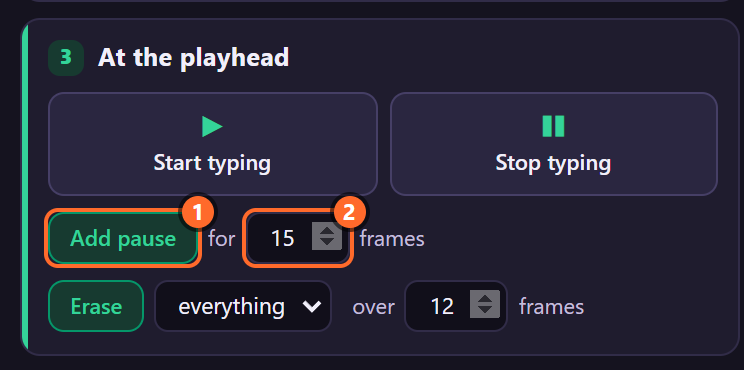
Card 3 · At the playhead:
Step by step#
-
Select the rigged text layer and put the time indicator where the pause starts: here one frame after "think..." is typed (4.17 s).
-
Set for … frames (15 here; the default).
-
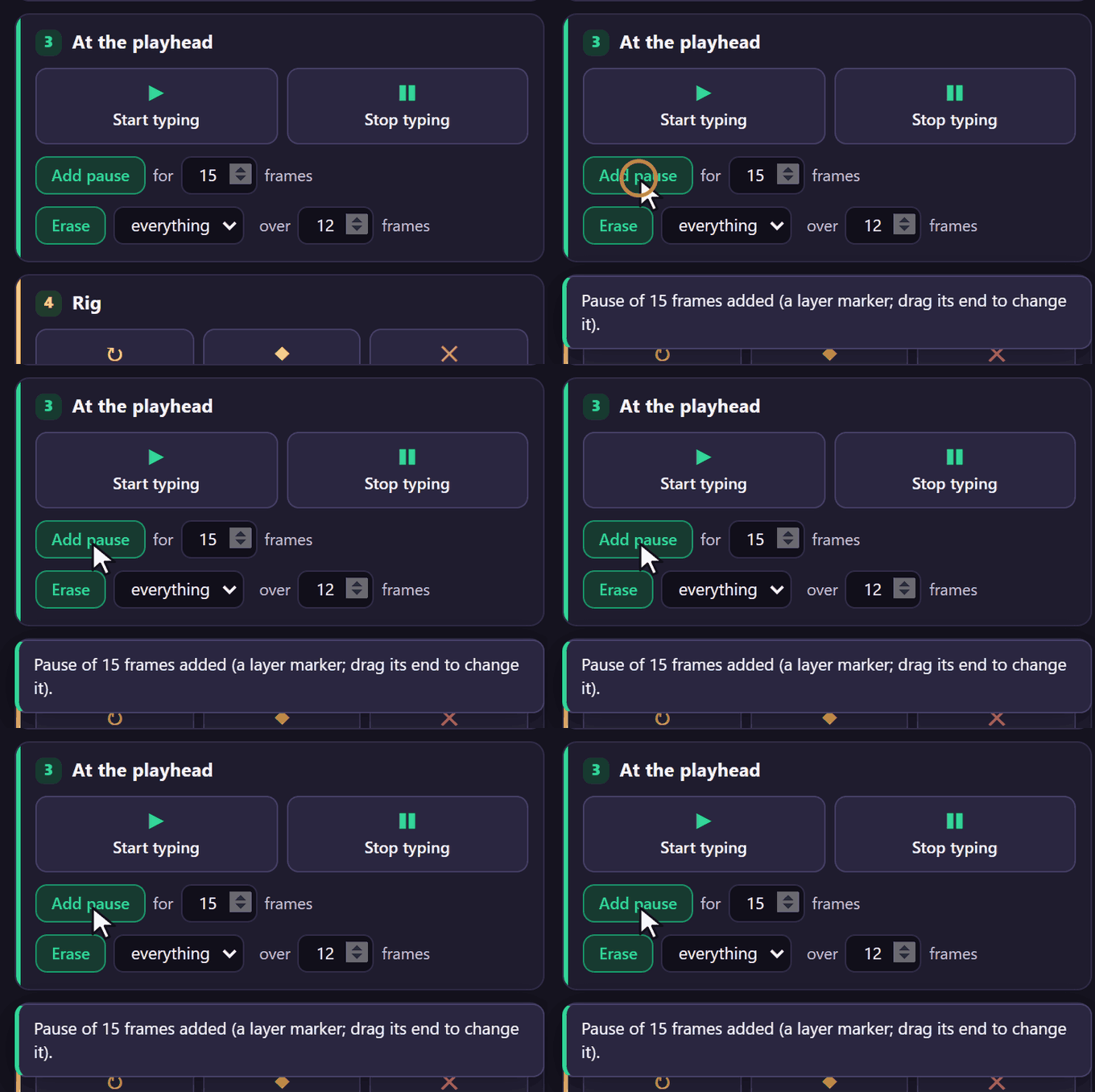
Click Add pause. The toast says Pause of 15 frames added (a layer marker; drag its end to change it).
-
The marker sits on the text layer, as long as the pause:

-
To change its length, drag the marker's end in the Timeline:

The marker's length changed in After Effects step by step; the pointer shows where to drag.
How the engine reads markers#
Every marker on the text layer whose comment starts with pause (any case, spaces before it allowed) is a pause:
| The marker | The pause lasts |
|---|---|
| has a length (a marker with a duration) | its length |
| has no length, and a number in the comment (Pause 20) | that many frames |
| has no length and no number (Pause) | 12 frames |
So you can also make pauses by hand: add a layer marker (Layer › Markers › Add Marker, or * on
the numeric keypad), double-click it and name it Pause 20.
While a pause lasts, nothing is typed. When it ends, the next character appears at once: the pause stands in for that character's wait instead of being added to it. A pause that starts on the very frame a character would appear holds that character back until it ends.
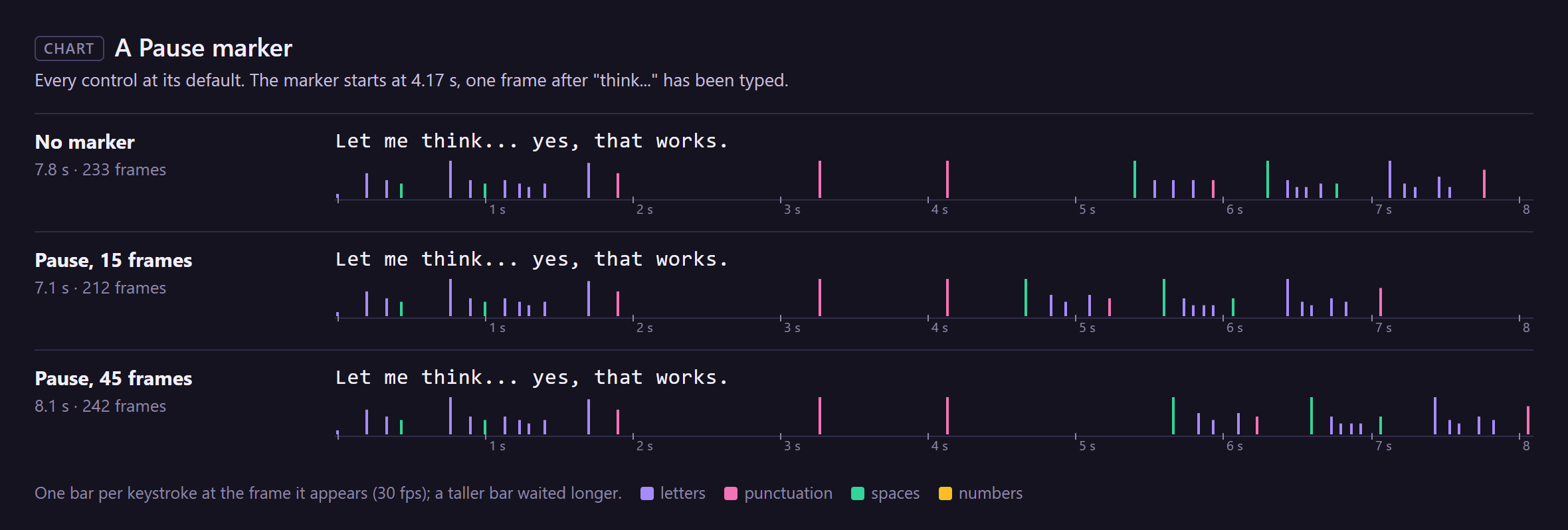
That is why a short pause can even make a take shorter. Here the character after "think..." waits 38 frames on its own (Sentence End, chapter 17). A 15-frame pause replaces that wait, so the take ends at frame 212 instead of 233; with 45 frames it ends at 242.
Tips and pitfalls#
- Put the marker on the text layer, not the cursor: the rig only reads its own layer's markers.
- A pause right after a sentence can be shorter than you'd think: the engine already waits there (chapter 17). Keep Slow: Sentence End low if you place pauses by hand everywhere.
- Several rigs selected: each gets its own marker at the time indicator.
- Markers stay when you remove the rig (chapter 11).
- Bake keeps the pauses in the keyframes; after baking, moving a marker changes nothing until you unbake.
Related#
- 6. Start typing and Stop typing
- 17. Slow: After Punctuation, Sentence End, Last Character and line breaks
- 28. Recipes: speed keyed to a voice-over.
