LazyKick documentation#
LazyKick is one dockable panel for Adobe Premiere Pro and After Effects. It pastes clipboard images straight onto the timeline, keeps project notes with timecode stamps, times a written script to the voiceover and turns it into subtitles, and lets watch folders import new media into your bins by themselves. It is free, open source and runs entirely on your own computer.
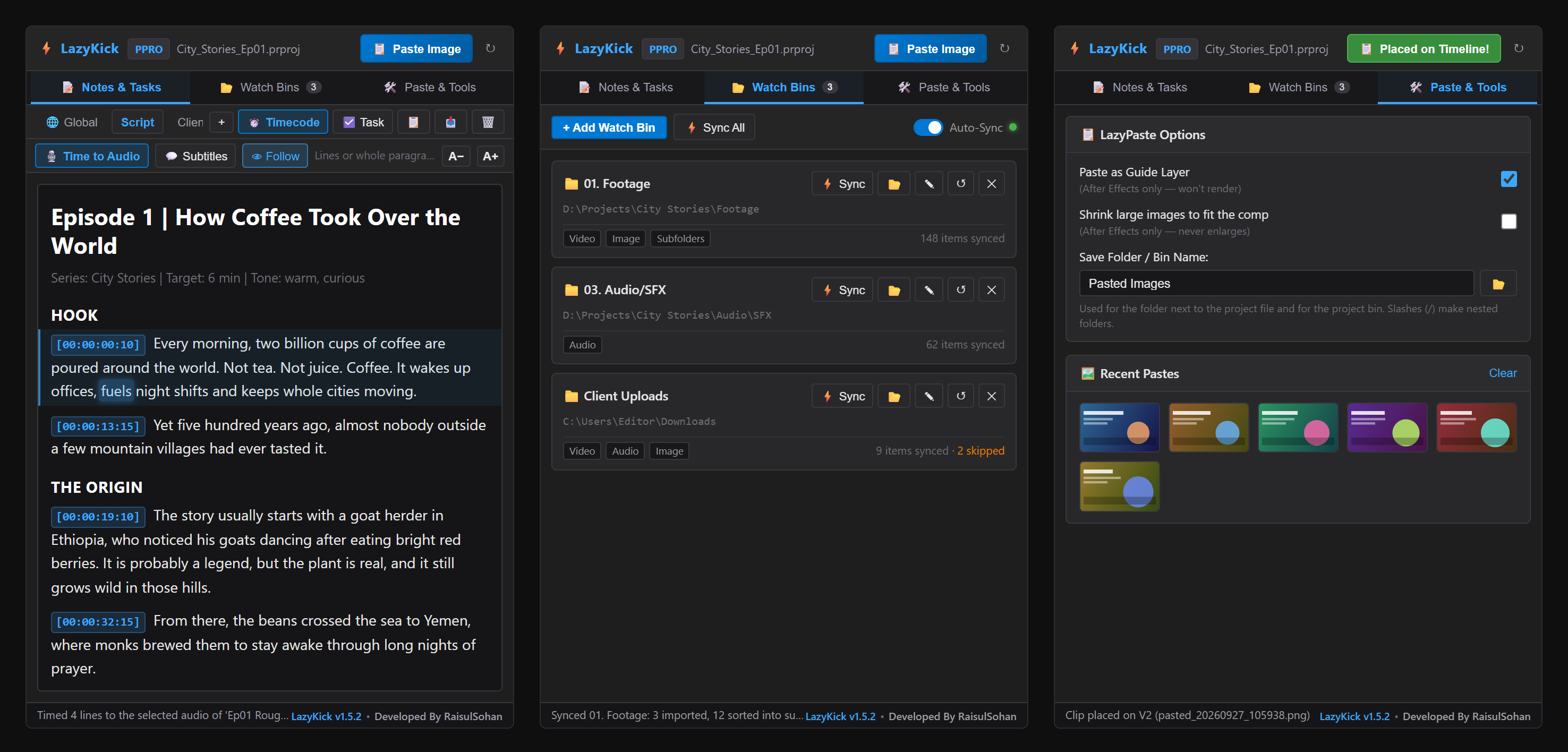
The README is the tour. These pages are the detail.
Written for LazyKick 1.6.0.
Using it#
| The manual | Installing and updating, then every part of the panel: pasting images, notes and tasks, timing a script and making subtitles, following the voiceover, watch bins, settings, shortcuts and where your data is kept. |
| How script timing works | What 🎙️ Time to Audio listens for, how it matches every sentence to the voice, how accurate it is, and how to get the best result from your recordings. |
| If something goes wrong | Symptoms and fixes for every feature, what each message in the status bar means, and what to send when you report a problem. |
Changing it#
| Building from source | How the panel and the host engine fit together, the host API, the rules the code keeps for older Adobe versions, the test suites and how a release is built. |
| Changelog | What changed in every version. |
Stuck somewhere? Email lettertosohan@gmail.com with the details, or open an issue. LazyKick is designed and built by Raisul Sohan, and is MIT licensed.
